


Did you know that over 3 out of 4 daily active users (DAU) abandon a product within the first three days of use if they don't see clear value? When users sign up for digital tools, they need quick wins from the start to feel confident using them with minimal friction.
In this context, user onboarding experiences accelerate activation rates, reduce churn rates and engage users from day one. What are the best practices for SaaS onboarding? Let's review best practices for Software-as-a-Service user onboarding.
What is SaaS User Onboarding?
SaaS user onboarding guides new users through their first encounters with a product, helping them quickly understand its value. Onboarding covers the earliest interactions users have with a product, ensuring core benefits are clearly displayed and easy to understand.
Focused on the early stages of user journeys, user onboarding aims to show how value aligns with needs and workflows, while creating an engaging first experience. It's no surprise that over 60% of users say onboarding influences whether they decide to pay for a product, making it a key growth lever. Nonetheless, SaaS onboarding should support users throughout cycles, enabling the adoption of new features and sustaining customer retention.
6 Types of SaaS User Onboarding
1. Welcome Screen
A welcome screen communicates what the product does, who it's for and why it matters. Moreover, from a business perspective, a welcome screen can be seen as a continuation of journey funnels, whether for consideration or conversion, depending on requirements.
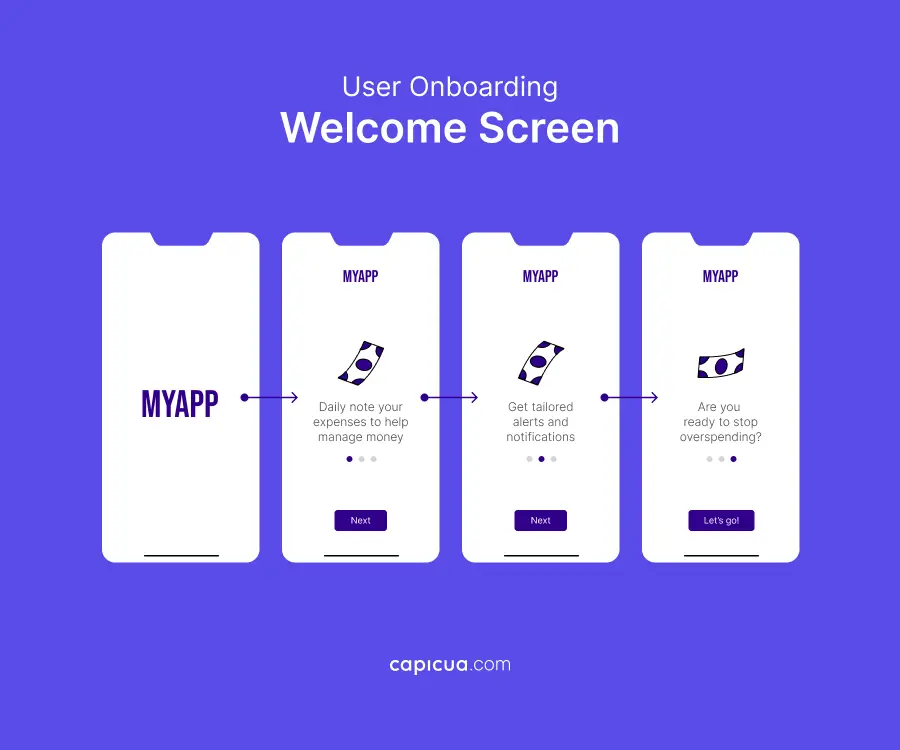
For new users, a welcome screen should deliver a concise, welcoming message that reassures them they've made the right choice. When done well, welcome screens reinforce the unique value proposition, reduce uncertainty and create momentum to activate users.
When crafting your user onboarding, think of a welcome screen as a strategic handshake: it builds trust, creates excitement and invites users to take the next step.
2. Account Setup
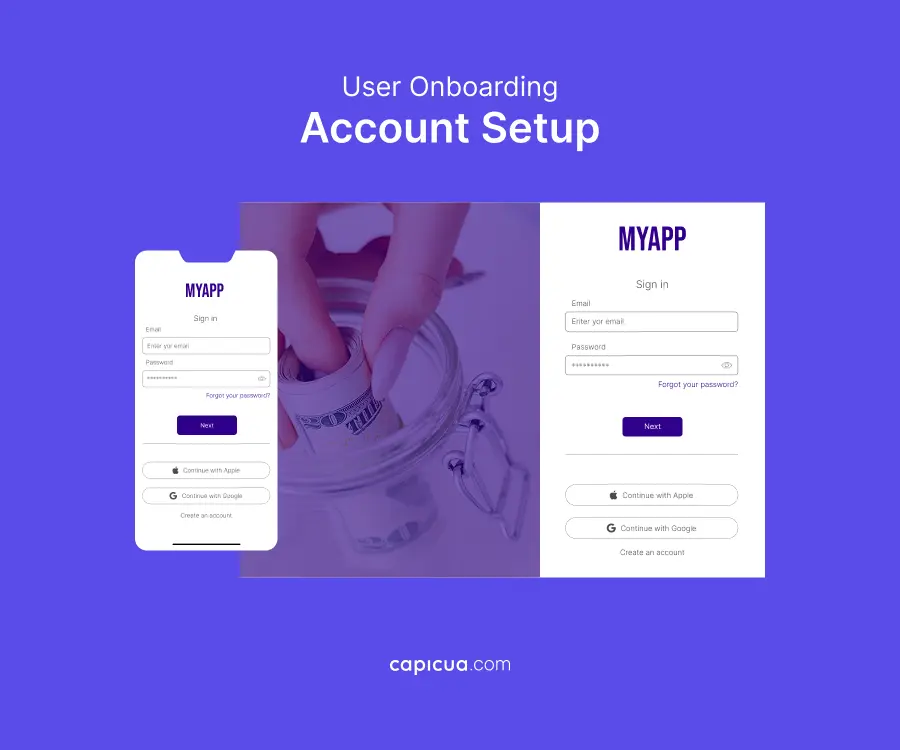
Whether it involves signing up with an email or linking an existing account, account setup should be as frictionless as possible. While it may not seem like it, account setup can be a critical phase of turning a new user into an active, long-term customer.
Lousy account setup can make users believe your product may be hard to use or that the process is neither straightforward nor secure. A key approach here is to allow users to fill in their info later: keep it to the essentials so users can get into the app quickly.
Reduce forms to only essential fields (name, email) to lower the barrier to entry. Visual aids, such as step-by-step bars, can also guide users through account setup. Last but not least, remember to guide users directly to a core feature that demonstrates value quickly.
3. Progress Indicator
A progress indicator shows users where they are, what they've completed and what remains to be done to achieve their desired task or goal. Common progress indicators include progress bars, checklists, numbered steps and visual cues.
For users, progress indicators reduce uncertainty and cognitive load. When people know how far they've come and what's left, onboarding feels easy rather than overwhelming. Moreover, progress indicators can create psychological momentum—a bar filling up or tasks being checked off trigger a sense of accomplishment.
Users are naturally motivated to complete what they've started, which increases the likelihood they finish onboarding and reach activation milestones.
4. Product Tour
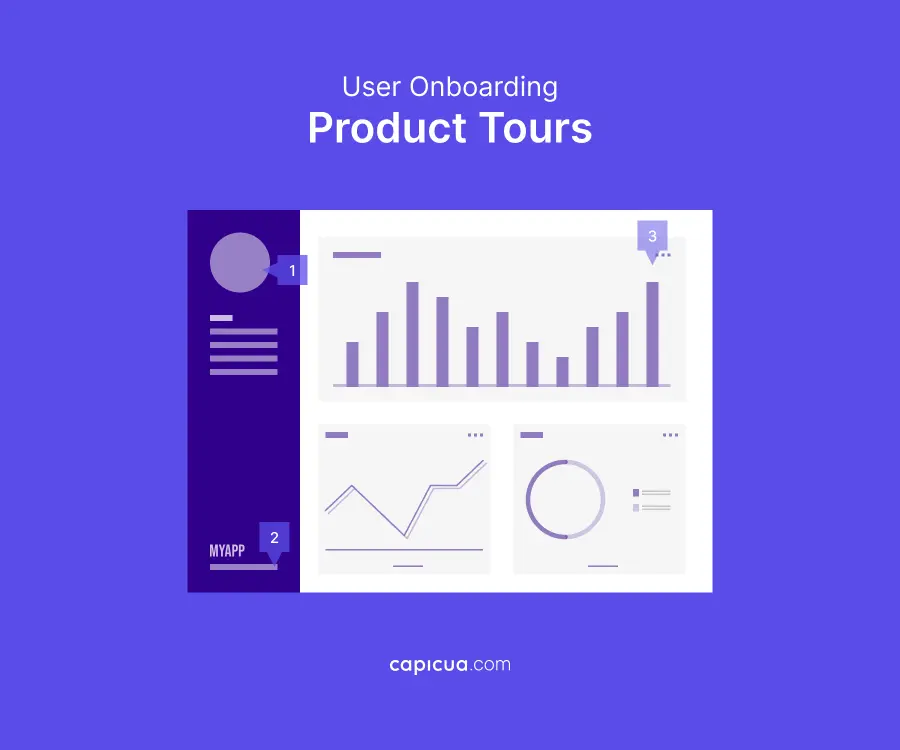
A product tour introduces users to the key features and core workflows through walkthroughs or guided interactions. The core purpose of a product tour is to orient users around what matters most so they can start using the product confidently.
Visually engaging, concise and interactive, product tours encourage users to learn by clicking, tapping and exploring. As a result, users can leverage product tours internalize how the product works while maintaining a sense of autonomy.
Well-designed product tours reduce time-to-first-value by guiding users directly to the actions that show immediate value. Product tours also prevent overload by introducing only the features needed to get started, intentionally delaying advanced functionality.
5. Task Completion
Task completion guides users through critical setup steps, such as creating a profile or performing their first action, to foster an active role in the onboarding process. Completion cues help users experience the product's first, immediate value while feeling productive, reducing churn and accelerating time-to-productivity.
Examples of task-completion user onboarding include checklist-based walkthroughs that prompt users to upload a profile picture or add a friend to complete the account setup process, while reinforcing the product's purpose. Interactive task completion should include 3 to 5 steps to minimize friction and ensure understanding of the goal.

6. Success Message
A success message marks the completion of onboarding and leaves users with a clear sense of accomplishment. Simple confirmations such as "You're all set!" or "Welcome!" signal that users have successfully crossed an important milestone.
Success messages provide psychological closure and create positive reinforcement, counteracting the Zeigarnik effect—the idea that humans tend to remember uncompleted tasks more clearly than completed ones. From a business perspective, success messages confirm progress and completion, reducing hesitation and boosting user confidence.

What is an SaaS Onboarding Pattern?
In a SaaS onboarding pattern, each pattern works independently; however, they reinforce one another within a cohesive onboarding experience that increases adoption.
For example, modals capture attention and communicate high-priority information, such as welcoming a new user or explaining a key action. These steps establish focus without overwhelming users, ensuring essential messages are seen and understood.
Onboarding checklists, on the other hand, break setup or activation into clear, manageable steps, providing a more robust structure. This structure sets what actions matter most, while the satisfaction of checking off completed tasks encourages follow-through.
With this layout, businesses can achieve higher onboarding completion rates and faster activation. Additionally, hotspots draw attention to specific interface elements without interrupting the experience.
Subtle visual cues, such as highlights or pulses, guide users toward important features they might otherwise miss. Hotspots encourage exploration and introduce functionality, supporting ongoing adoption beyond the initial onboarding phase.

SaaS Onboarding Best Practices
There's a cute analogy from UXPlanet: introducing a product to a new user works the same way as a parent introducing their child to you. Just as only the parent knows their child's achievements and strengths at first, only you know the ideas, iterations, effort, time, money and value of your product. In both cases, the interest can be higher or lower depending in part on how the story is told.
SaaS user onboarding starts by removing friction as early as possible, particularly during signup. The fewer barriers users face when creating an account, the more likely they are to move forward. A smooth entry experience sets expectations and signals that the product is easy to adopt.
Once users enter the product, onboarding should begin with a clear welcome screen that includes a short in-product survey. This initial interaction greets users and gathers essential context about their goals. With this insight, onboarding feels relevant rather than generic, increasing early engagement.
From there, personalization based on user data and early behavioral patterns can adapt onboarding flows to what matters to users. These flows help companies prevent unnecessary steps, reduce confusion and ensure users are guided toward their outcomes.
Onboarding should also be structured around a clear checklist or progress bar that turns activation into a series of manageable actions while giving users constant visibility into their progress. Knowing what to do next and how close they are to completion keeps user motivation and reduces abandonment during setup.
As users move through the product, onboarding should rely on interactive walkthroughs rather than linear product tours. Instead of passively explaining core features, interactive experiences encourage users to take real actions inside the product. This hands-on approach builds confidence and accelerates time-to-value without overwhelming users.

Why SaaS User Experience Onboarding Matters
Users don't always have the patience to "figure things out"; if the value isn't clear, they'd leave. Many products fail because clients never reach the "aha! moment," and onboarding bridges the gap between potential and realized value.
Success depends on whether users quickly understand how the product solves their problems. Without effective onboarding, even the greatest products stall their growth potential. Great customer onboarding accelerates time-to-value, guides users to the actions that matter, and builds early confidence.
When users experience success early, they're far more likely to adopt the product, explore deeper functionality and form long-term usage habits.
Conclusion
The most effective products treat onboarding as a strategic growth lever that reduces friction and drives higher retention curves. As your Product Growth partner, Capicua guides and executes decisions to deliver successful first contact experiences. Contact us today!